Screenshots · Annotation · Recording · macOS
Instant captures, a real annotation editor, and screen recording you can watch before you keep it — in one fast native app. One low price. No subscription, ever.
macOS 13 Ventura or later · universal (Apple Silicon & Intel) · 3.7 MB · No account
What it does
Everything the Windows Snipping Tool taught you to expect — and everything Apple’s built-in screenshot tool leaves out.
Press ⌃⇧4 — or the keys you choose, or a button on your mouse — and drag. Region, window, or full screen, with an optional 3/5/10-second timer.
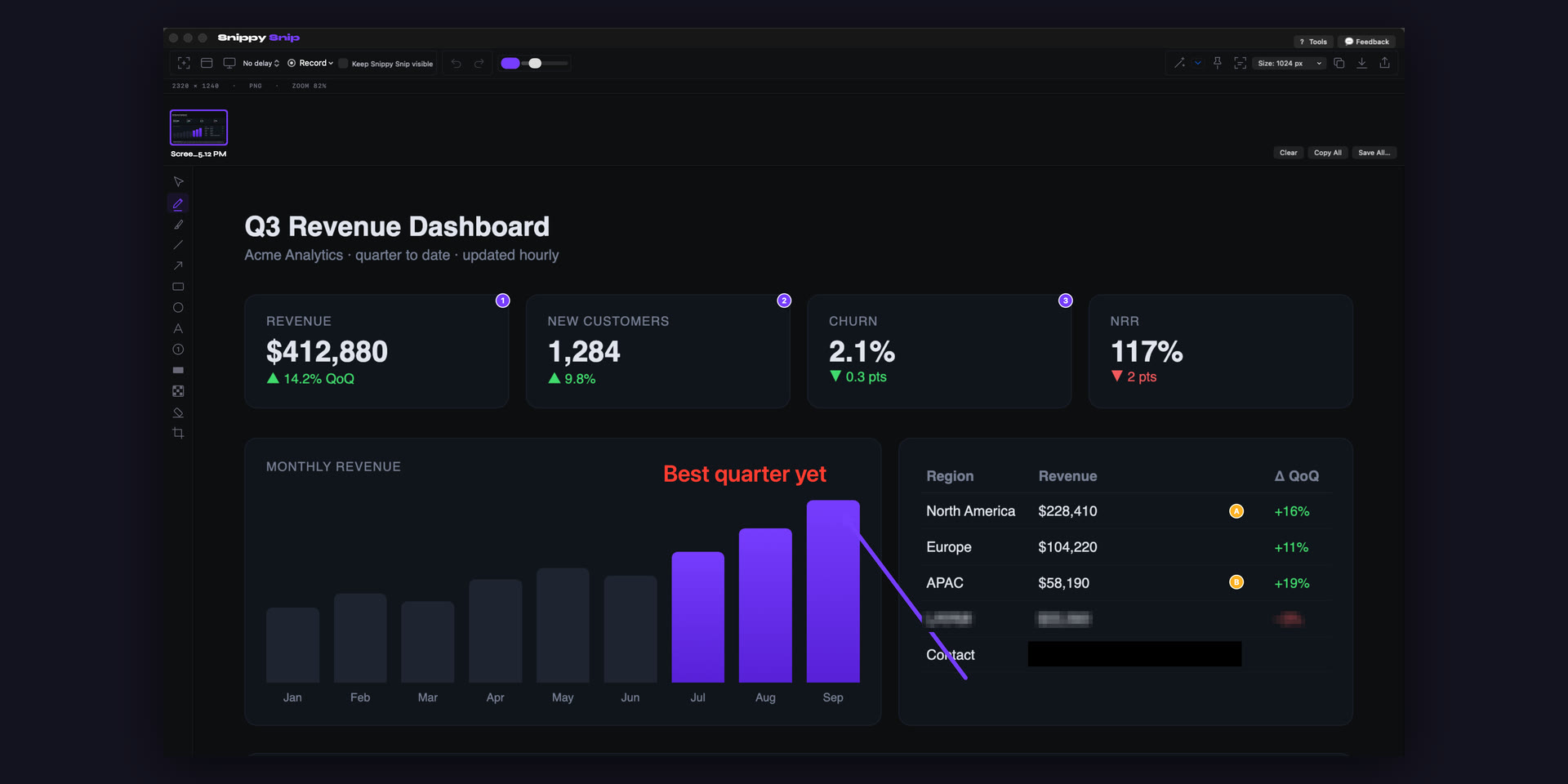
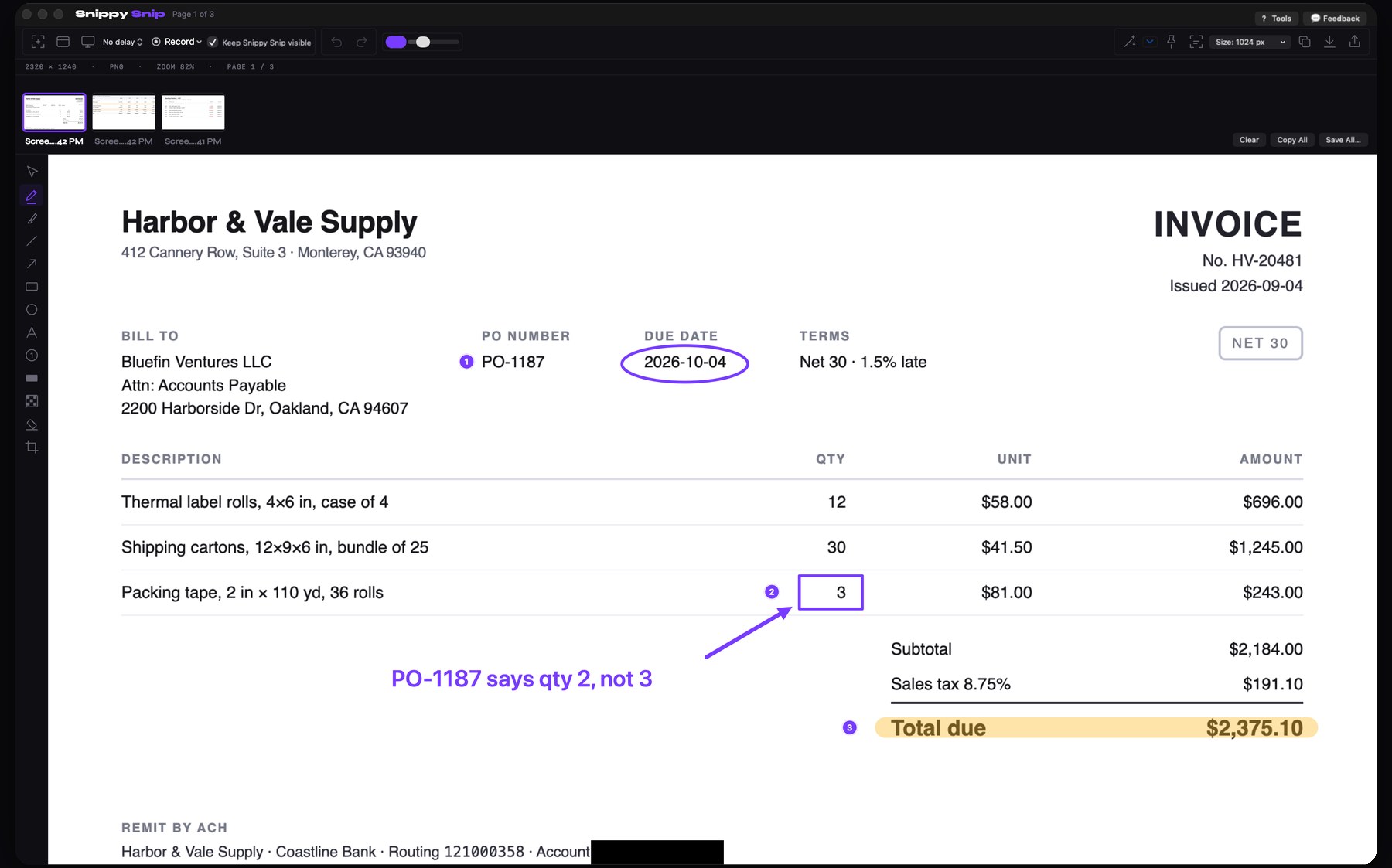
Every capture opens for markup: pen, highlighter, arrows, shapes, text, numbered callouts, crop — with full undo and zoom.
Record a region, window, or the whole screen — your camera in the corner if you want it, pause and resume as you go. Press stop and the take plays back in the editor: save it as video or GIF, rename it, or bin it.
The capture is on your clipboard before you reach for a copy button — and it re-copies itself as you annotate. What you see is what pastes.
Black-out bars and pixelation hide names, emails, and account numbers before a screenshot ever leaves your Mac.
Drag over an error dialog, a paused video, a photo — the text lands on your clipboard. Reads QR codes too. PRO
Float a capture above every window while you work from it. Drag any corner to resize; one click to dismiss. PRO
Name every capture in the carousel, then save as PNG or JPEG at full Retina quality — or send it straight out through the macOS share sheet.
Built like an instrument
Not a cross-platform port with borrowed icons. Every glyph in Snippy Snip is drawn on the same grid at the same hairline weight, so the toolbar reads as one object — and the app tells you what it knows: dimensions, file size, zoom, which page you’re on.
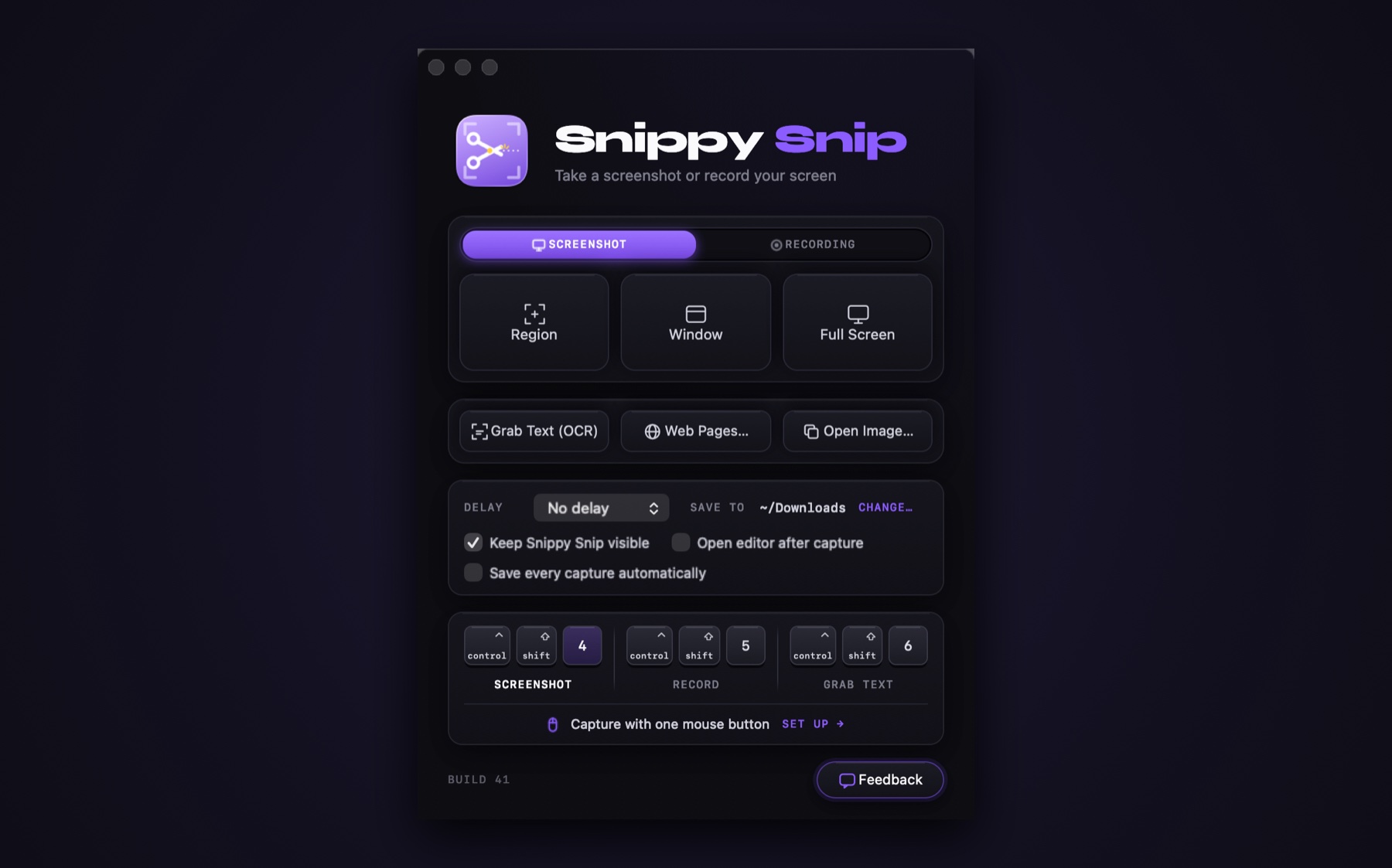
Open it and you land here: pick a capture mode, see exactly where your files go, and learn the two shortcuts that mean you’ll rarely open this window again.
Comparison
macOS ships a basic screenshot utility. Snippy Snip picks up where it stops.
| What you get | Built-in macOS | Snippy Snip |
|---|---|---|
| Region / window / full-screen capture | ✓ | ✓ |
| Opens instantly in a markup editor | — | ✓ |
| Arrows, shapes, highlighter, callout text | limited | ✓ |
| Redaction and pixelation tools | — | ✓ |
| Snip lands on the clipboard automatically | — | ✓ |
| Clipboard stays in sync as you annotate | — | ✓ |
| Watch a recording before you keep it | — | ✓ |
| Name captures before saving | — | ✓ |
| Mouse-button / custom hotkey trigger | — | ✓ |
Work even faster
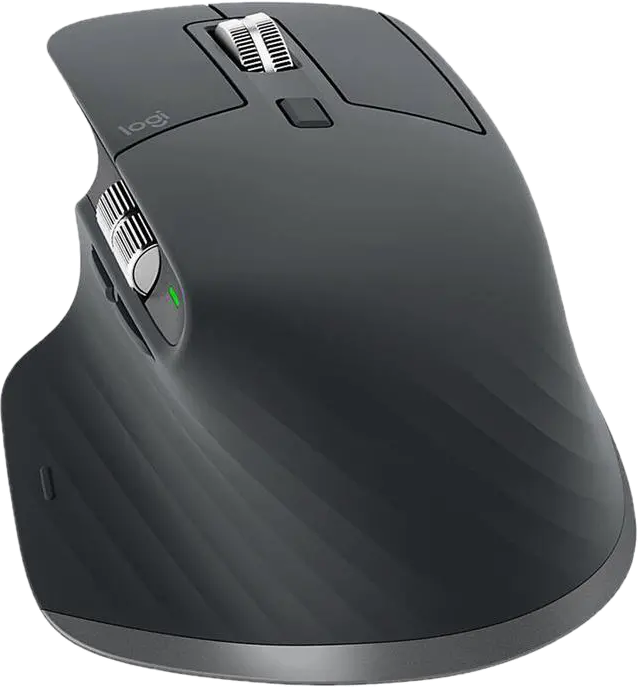
Bind Snippy Snip’s capture shortcut (⌃⇧4) to a button on the Logitech MX Master 3S. Grabbing anything on screen becomes a single button press — no key combo, no reach. It’s the setup we actually use.
Want the whole desk dialed in? Get the mouse + MX Keys combo →
Affiliate links — we earn a small commission at no extra cost to you.
From the inbox
Lifted from support mail, unedited. Three so far — more as they arrive.
So far I’m loving it and have allocated a button on my Master 3 mouse to make it easier.
There are many Windows applications and tools that I still miss, and this is probably one of the ones I miss the most.
The quiet capture is a great enhancement! Taking my non-specific request and turning it into a product feature is great work.
Pricing
Other tools charge $39 every year. Snippy Snip Pro costs less than lunch — once.
No subscription · Every update included, forever · No account required · No telemetry
$5 off
We’ll send you a code that takes Snippy Snip Pro to $14 — one payment, every update included, forever. You’ll also hear from us when we ship something new, which is rarely and never more than we’d want to receive ourselves.
Done — your code is on its way to your inbox. π
No spam — your code now, then only when there’s something worth sending. Unsubscribe in one click.
Questions
No — and it never will be. You pay once and the app is yours, every update included — minor, major, forever. No two-year window, no paid upgrades, no version-2 tax: the app you buy keeps getting better for as long as we ship. And Snippy Snip runs entirely on your Mac — if we ever build something genuinely new that costs money to run (a cloud service, say), it would be its own optional product, never a gate on your app or its updates.
Any Mac running macOS 13 Ventura or later, Apple Silicon or Intel. It’s a small native app — quick to download, instant to launch.
All screenshot capture modes and the full annotation editor, free forever. The one-time Pro license adds recording (with your camera in the corner, pause and resume, and GIF export), full-page web capture, OCR, pinned shots, backdrops, export sizes, and the capture timer. Changing the keyboard shortcuts is free on both.
No — the image is on your clipboard the instant the capture opens, and it re-copies itself as you annotate. Draw an arrow, blur something out, crop — then just paste.
Yes — that’s exactly how it was born. Assign your mouse button (e.g. in Logi Options+) to the keystroke ⌃⇧4 and every press starts a new snip; ⌃⇧5 starts and stops recordings.
Yes — since build 37. Open Settings from the menu bar icon, click a field under Shortcuts, and press the combination you want. The app then asks you to press it once more and only lets go of the old shortcut when that press actually reaches it, so you can never end up with keys that silently do nothing. The shortcuts guide has the details, including how to take ⇧⌘4 for yourself.
No telemetry, no analytics, no account. Captures never leave your Mac unless you copy, save, or share them yourself.
Right now — checkout is open. Snippy Snip Pro is $19: one payment, yours forever, every update included. Questions? Email hello@snippysnip.com.